See the UI
A structured snapshot of the component tree — every button, field, table, tree, menu and dialog with a stable id — instead of guessing from pixels. Find components by text, name, tooltip or class.
An MCP server that lets Claude and other AI assistants operate any Java Swing or JavaFX application: see the UI as a component tree, click, type, fill forms, read tables and trees, drive menus and dialogs. No API. No rewrite. The app never knows.
io.github.crosstech-solutions-bv/swing-mcp
The agent loads into the app's JVM and exposes 39 tools over MCP. Everything runs on the toolkit's own UI thread — the Swing event thread or the JavaFX Application Thread — so it behaves like a very fast, very patient user. An app that mixes both works too; you never have to say which it is.
A structured snapshot of the component tree — every button, field, table, tree, menu and dialog with a stable id — instead of guessing from pixels. Find components by text, name, tooltip or class.
Click, hover, focus, type, fill text fields and spinners, pick combo-box options, select table cells and tree nodes, drive menus and right-click menus, scroll, press keys, drag (Swing).
Whole table contents (JTable or TableView) as structured data, list and
tree items, component properties, the clipboard, and screenshots of a window or a single component.
Modal dialogs are detected and answered instead of blocking the session. wait_for
waits for UI conditions. Several apps can be driven in parallel sessions.
Start the app with the agent preloaded, or attach to an already-running JVM by process id — useful for the tool that has been open on someone's desk since 2014.
The agent listens on loopback only and requires a per-session token. Arbitrary code
execution in the target JVM (evaluate_java) is off unless you switch it on.
Launched apps are closed when the server shuts down. Every tool declares whether it is
read-only or destructive (MCP tool annotations), so a client that honours them can wave
reads through and ask before stop_app or close_window.
Claude Desktop, Claude Code and IntelliJ IDEA, then the assistant driving a real Swing app: every tool call in the side panel comes from the actual MCP log of that session.
Captions are burned in. Prefer text? The installation guide covers the same steps plus VS Code, Cursor and Windsurf.
Since 1.3.0 the agent drives JavaFX as well as Swing, and you never say which. This is the JavaFX demo driven live through the real server: launch, form, table, list, tree, menu, modal dialog. Every tool call in the side panel comes from the MCP log of that session.
96 seconds, captions burned in. What is different underneath: a JavaFX control is a small scene-graph of its own (text, caret, selection); the snapshot reports it as one node, so the model sees what a user sees. Details in the design note.
Same server, eight clients. Each video shows the install for that client, then the assistant driving a real Swing app. The steps are next to the video; the full guide is one click further.
PATH.swing-mcp.mcpb; click Install.launch_app your application.swing-mcp.mcpb for the two jars in server/.-s user for every project):claude mcp add swing \ --env SWING_MCP_AGENT_JAR=/path/to/swing-mcp/server/swing-mcp-agent.jar \ -- java -jar /path/to/swing-mcp/server/swing-mcp-server.jar
claude mcp list → swing … ✓ Connected
swing-mcp.mcpb for the two jars..vscode/mcp.json (or MCP: Add Server). VS Code uses servers and "type": "stdio":{
"servers": {
"swing": {
"type": "stdio",
"command": "java",
"args": ["-jar", "/path/to/swing-mcp/server/swing-mcp-server.jar"],
"env": { "SWING_MCP_AGENT_JAR": "/path/to/swing-mcp/server/swing-mcp-agent.jar" }
}
}
}
Click Start; in Copilot Chat choose Agent mode and open the tools picker.
swing-mcp.mcpb for the two jars.mcp.json:{
"mcpServers": {
"swing": {
"command": "java",
"args": ["-jar", "/path/to/swing-mcp/server/swing-mcp-server.jar"],
"env": { "SWING_MCP_AGENT_JAR": "/path/to/swing-mcp/server/swing-mcp-agent.jar" }
}
}
}
Green dot = connected. The agent asks before each tool call by default. Cursor caps active MCP tools (40 at the time of writing); Swing MCP exposes 39.
swing-mcp.mcpb for the two jars.~/.codeium/windsurf/mcp_config.json:{
"mcpServers": {
"swing": {
"command": "java",
"args": ["-jar", "/path/to/swing-mcp/server/swing-mcp-server.jar"],
"env": { "SWING_MCP_AGENT_JAR": "/path/to/swing-mcp/server/swing-mcp-agent.jar" }
}
}
}
Cognition renamed Windsurf to Devin Desktop in 2026; the config path is unchanged. Tools can be toggled per server (100 active tools max).
swing-mcp.mcpb for the two jars.{
"mcpServers": {
"swing": {
"command": "java",
"args": ["-jar", "/path/to/swing-mcp/server/swing-mcp-server.jar"],
"env": { "SWING_MCP_AGENT_JAR": "/path/to/swing-mcp/server/swing-mcp-agent.jar" }
}
}
}
OK, Apply; the status icon lists the 39 tools. Start a new AI Assistant chat.
swing-mcp.mcpb for the two jars.~/.codex/config.toml):codex mcp add swing \ --env SWING_MCP_AGENT_JAR=/path/to/swing-mcp/server/swing-mcp-agent.jar \ -- java -jar /path/to/swing-mcp/server/swing-mcp-server.jar
codex mcp list shows swing … enabled; /mcp inside a session lists the tools.
swing-mcp.mcpb for the two jars.-s user for the current project only):gemini mcp add -s user swing java \ -e SWING_MCP_AGENT_JAR=/path/to/swing-mcp/server/swing-mcp-agent.jar \ -- -jar /path/to/swing-mcp/server/swing-mcp-server.jar
gemini mcp list → ✓ swing … Connected. Trust the folder first if it says the servers are disabled.
PATHAny JDK build works. Check with java -version.
swing-mcp.mcpbClaude Desktop installs it as an extension. Using Claude Code, VS Code, Cursor, Devin Desktop (Windsurf), IntelliJ, Codex CLI or Gemini CLI instead? The installation guide has the jar-based config for each, and Pick your client above has a one-minute video for each.
Ask the assistant to launch your application, or attach to a running one.
take_snapshot returns the component tree with ids; from there the assistant
clicks, fills and reads on its own. The tool reference lists all 39 tools on one page.
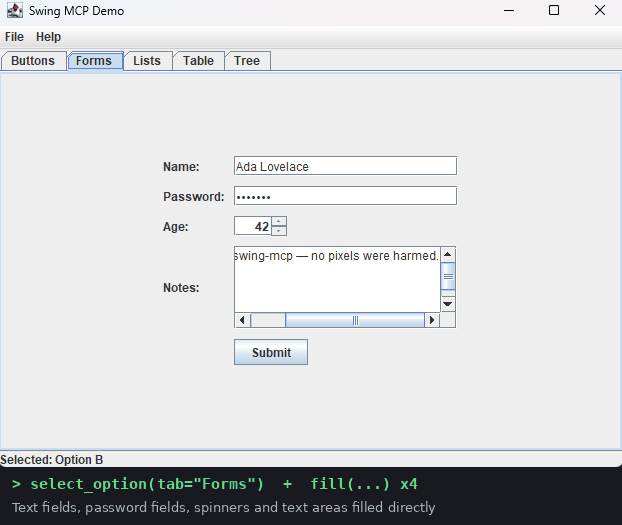
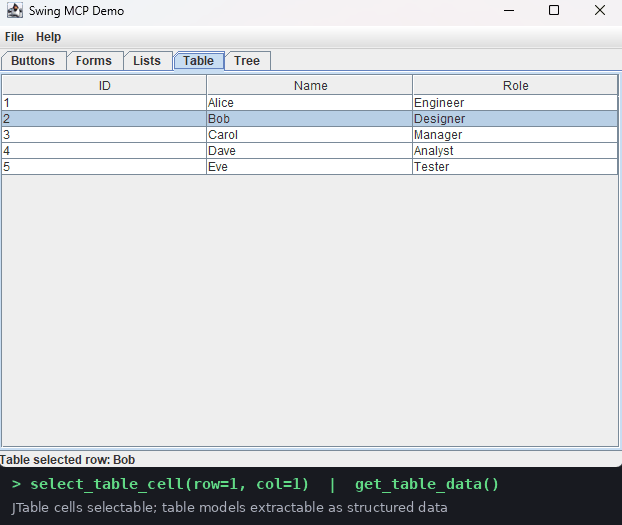
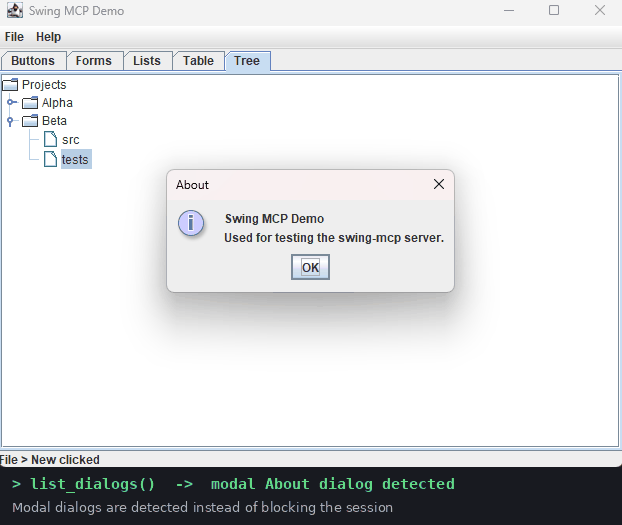
And the same three operations on the JavaFX demo — same tools, same session, nothing to configure.
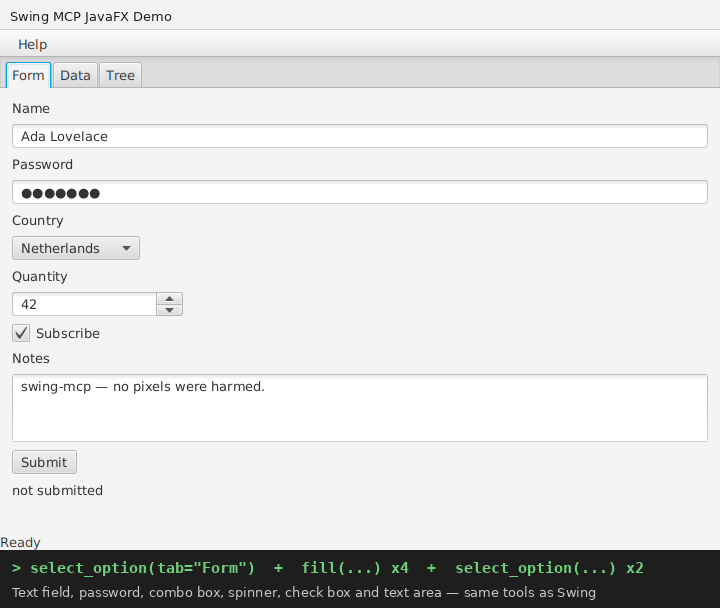
fill and select_option tools.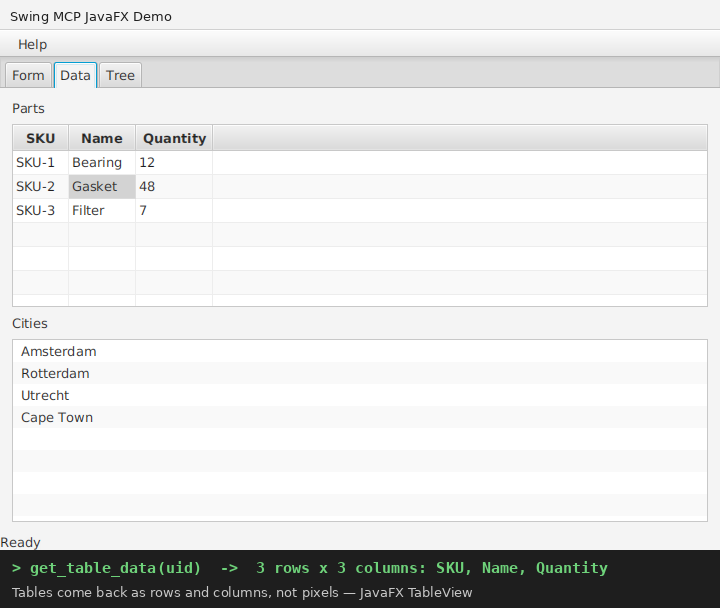
TableView comes back as rows and columns, not pixels.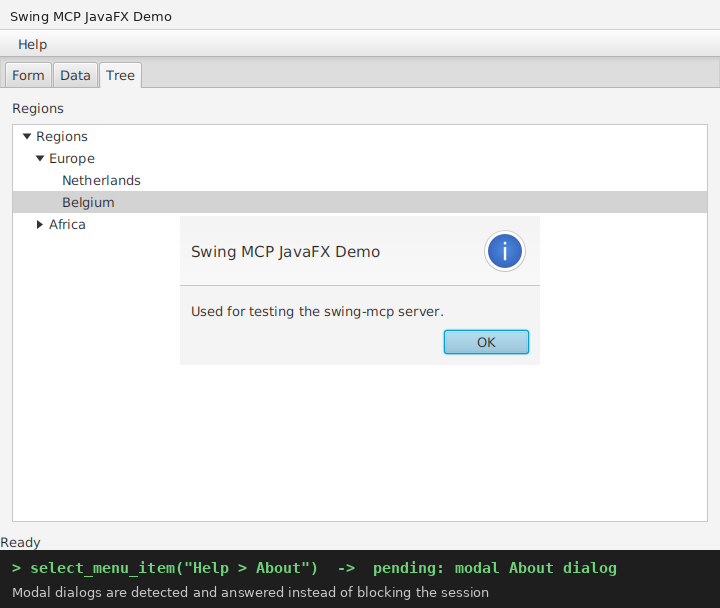
Alert is reported as pending, listed with its real text, and dismissed.ERP clients, point-of-sale screens, lab and logistics tools, internal apps written a decade ago: they work, nobody dares rewrite them, and they have no API. Swing MCP gives that software a safe, permissioned door into the AI era, without changing the application.
Exploratory and regression tests against the real application, driven by an assistant that sees components, not screenshots. Reproduce a bug from a sentence.
Read that table the vendor never exposed. Pull records out of a tool whose only export is a printout.
The forty-screen data-entry job, the daily status check, the nightly close: describe it once, let the assistant drive.
No. The agent is a standard Java agent loaded into the JVM at launch (-javaagent)
or attached afterwards by process id. Your code, jars and data are untouched; remove the
agent and nothing remains.
JavaFX: yes, since 1.3.0 — the same tools drive Swing, JavaFX, and apps that mix the
two in one JVM. A JavaFX control comes back as one node, not its whole rendering sub-tree,
so the model sees what a user sees. Two tools stay Swing-only, drag and
evaluate_java, and say so if called on a JavaFX component. SWT and Electron: not today; if you run a different
desktop stack, that is exactly the kind of connector we build for clients — see below.
Anything that speaks MCP over stdio. Claude Desktop installs the bundle in one click; Claude Code, VS Code + Copilot, Cursor, Devin Desktop (Windsurf), IntelliJ IDEA, Codex CLI and Gemini CLI use the two jars — one-minute video and steps for each.
The agent only listens on localhost, only accepts commands carrying the per-session token it generated, and code execution inside the JVM is disabled by default. The assistant can do anything a user at the keyboard could — so give it the same account and permissions you would give a new colleague, and start on a test environment.
Nothing. MIT licence, no telemetry, no account. CrossTech makes its living building connectors and AI systems for clients; Swing MCP is our public proof that we can.
We connect AI assistants to the software businesses actually run — Swing and JavaFX desktops, web apps, internal tools, databases — with permissions, audit logs and the code handed over to you. Start with a free 30-minute look at your systems; if a connector isn't worth it for you, we'll say so.
Book a free audit